
Configure a proxy in Windows 10 and 11: a verified setup
Set up a Windows HTTP proxy, understand which applications inherit it, and verify the exit IP without exposing credentials.
Set up a Windows HTTP proxy, understand which applications inherit it, and verify the exit IP without exposing credentials. WorldProxy cross-checked this original guide against five standards and official sources and separates configuration from reproducible verification.
Core idea
Windows 10 and 11 offer automatic discovery, a setup script, and manual server-and-port settings under Network and Internet, Proxy. These settings affect applications that use the system networking configuration; software with its own network stack may ignore them.
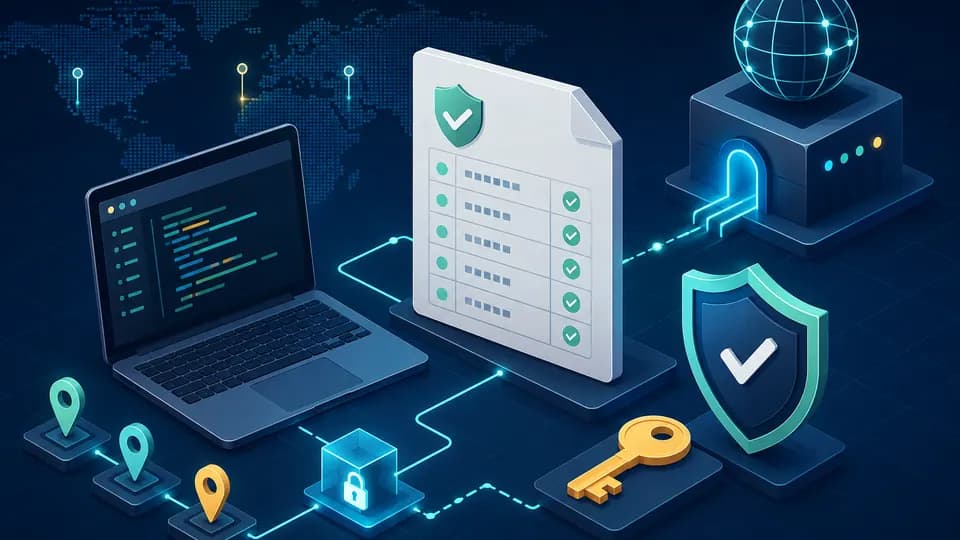
Draw the request path before testing Configure a proxy in Windows 10 and 11: a verified setup: application, local network, proxy, DNS, and origin. The diagram assigns every decision to a component and prevents confusion between the proxy endpoint, the exit address, client configuration, and origin behavior.
What the primary source establishes
Set up a Windows HTTP proxy, understand which applications inherit it, and verify the exit IP without exposing credentials.
The primary source, Microsoft Support — Use a proxy server in Windows, Microsoft Learn — WinHTTP AutoProxy support, Chromium — Linux proxy configuration, RFC 9110 — HTTP Semantics, RFC 1928 — SOCKS Protocol Version 5, defines the technical baseline but not every client and provider configuration. Read the normative behavior with its version and then verify your implementation. Treat anything beyond the source as a product feature that needs separate confirmation.
Controlled lab
Record the original Windows switches and direct exit IP on a test device. Configure an owned or explicitly authorized HTTP proxy manually, check an IP page and an owned HTTPS endpoint, then add only a local address to the bypass list. Repeat in a browser and one application with independent network settings. Restore the original configuration and confirm the direct route.
Step-by-step verification
Record the direct public IP and one control HTTPS result before editing anything. Enable one setup mode, repeat the check in a browser and the target application, and compare outcomes. Enter credentials only in the client's designated fields and keep them out of URLs, command history, and screenshots.
Use one client, one proxy, and an endpoint you control or may test. Run a direct request first, then repeat through the proxy without changing language, cookies, headers, or timeouts. Changing several variables makes even a successful result impossible to explain.
Split the run into connection, authentication, request transfer, TLS, and origin response. Record an observable result for each stage. This converts “it does not work” into a reproducible fault boundary another operator can verify.
- Record original settings and direct IP
- Enable one proxy mode
- Test the browser and target application
- Restore settings and confirm direct routing
Evidence to retain
Keep the Windows version, selected setup mode, sanitized host and port, timestamp, application, resulting exit IP, HTTP status, and failure stage. Redact usernames, passwords, tokens, cookies, and internal PAC addresses.
Keep the start time, client version, proxy family, target location, exit IP, response status, and duration. Replace secrets with labels. If a browser profile matters, say whether it was clean or already in use so the next run starts from the same state.
Define report columns and time format before the run. A result without context becomes a guess: the address, cache state, and changed condition are unknown. Record controlled failures as well as successes so the check proves that it can distinguish states.
Interpreting the result
When the browser works but another application fails, verify that application's documented proxy behavior first. A 407 response identifies proxy authentication, TLS errors happen after transport setup, and an origin HTTP status comes from the destination; each stage needs a different correction.
The Windows proxy setting is not a VPN and does not guarantee that every application or DNS query uses the proxy. SOCKS5 is commonly configured inside the application, and organization policy can override local values.
One successful run confirms only one client, route, and moment. Repeat while changing one variable and state the limits. When observation conflicts with documentation, rule out cache, client version, and intermediaries before creating a reproducible support case.
Worked decision process
Create a one-page scenario card for Configure a proxy in Windows 10 and 11: a verified setup: purpose, client, connection format, destination, expected exit, and observable success. Add actual exit and per-stage errors. This turns a vague page-load check into a repeatable regression case.
Read the path in order: client parsing, proxy connection, authentication, destination tunnel, TLS, and origin response. Change only the parameter for the failed stage. Simultaneous changes to country, protocol, and browser erase causal evidence.
Hand off a sanitized table with time, client version, proxy family, country, internal label, stage, status, reproduction step, and expected result. A colleague should not need your browser profile or credentials to repeat it.
Common mistakes
Common comparisons use different cookie states, names versus literal addresses, or cold versus warm caches. Another mistake is blaming the proxy for every delay without a direct baseline. A small condition table and one control request usually expose the difference.
Stop when errors rise, a source returns a limit, the task would require bypassing protection, or secrets enter logs. Save sanitized diagnostics and correct the cause first. More concurrency or another IP can hide the fault and add load without improving evidence.
Rollout and maintenance criteria
Define the decision boundary before rollout: which observation permits continuation, which requires review, and which stops the workflow. Record acceptable error ratio, maximum wait, and the owner of every exception so a temporary failure cannot silently become permanent configuration.
Review real load, cost, and quality after the first week. Schedule a small control after client, proxy-service, or network changes. Archive outdated instructions with their replacement date and reason so operators do not follow conflicting configurations.
Operational checklist
Turn the successful experiment into a short procedure covering owner, safe configuration, limits, and stop conditions. Every run needs a terminal status. After browser, library, or network changes, run a small control before the main queue.
- One request goal is defined
- Route and exit IP are recorded
- Only one variable changes
- Secrets are excluded
- A direct control exists
- The failed stage is identified
Sources
This WorldProxy article is original. Links point to the primary documents used for fact checking.
Choose a proxy for your workflow
Compare proxy families and browse all countries. Availability and price are checked before an item enters the cart.