
Docker proxy setup for daemon, builds, and containers
Separate Docker daemon, build, and container proxy settings, design NO_PROXY, and keep credentials out of image layers.
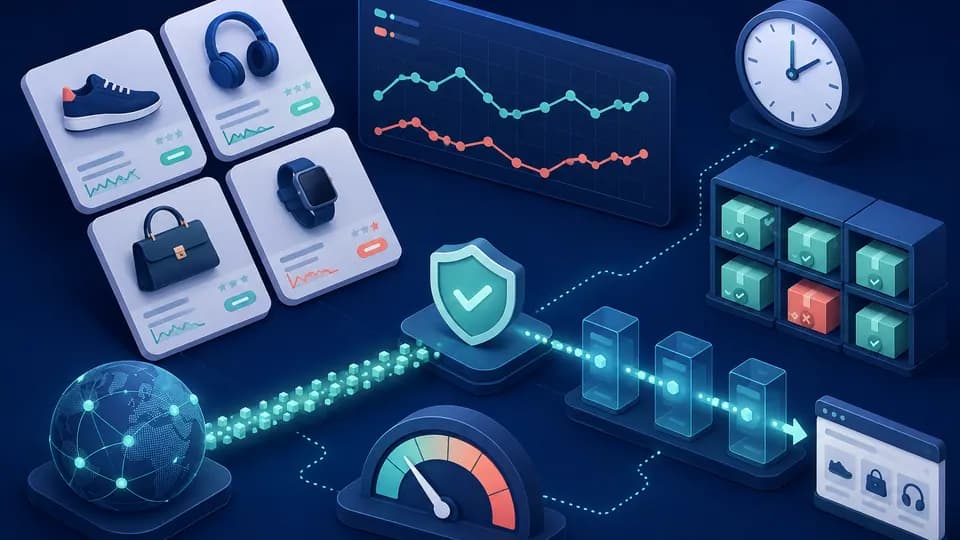
Separate Docker daemon, build, and container proxy settings, design NO_PROXY, and keep credentials out of image layers. WorldProxy cross-checked this original guide against five standards and official sources and separates configuration from reproducible verification.
Core idea
Docker has no single universal proxy switch. The daemon needs a route to registries, client configuration can populate new builds and containers, and an application inside a container uses variables only when it supports them. Docker Desktop also maintains separate settings.
Turn Docker proxy setup for daemon, builds, and containers into a reproducible scenario with inputs, expected state, total timeout, concurrency limit, and stop condition. The proxy is one dependency; page, browser, and test-data failures must remain distinguishable from channel failures.
What the primary source establishes
Separate Docker daemon, build, and container proxy settings, design NO_PROXY, and keep credentials out of image layers.
The primary source, Docker Docs — Daemon proxy configuration, Docker Docs — Use a proxy server with the Docker CLI, Docker Docs — Build variables, Docker Docs — Build secrets, Docker Docs — Networking overview, defines the technical baseline but not every client and provider configuration. Read the normative behavior with its version and then verify your implementation. Treat anything beyond the source as a product feature that needs separate confirmation.
Controlled lab
In a disposable project, pull a small image and build a container that contacts only an owned HTTPS endpoint. Configure daemon, build, and runtime one at a time, requiring both a successful request and an expected failure after that layer is removed. Inspect image history and configuration to prove that credentials did not enter layers or final environment values.
Step-by-step verification
Verify each layer independently: a daemon pull, a minimal build, and a request from a running container. Give every stage its own control and define NO_PROXY for loopback, service names, and owned internal networks. Restart only the component whose configuration changed.
Start with one authorized URL and one proxy. Verify the exit IP, then add the target action and wait for its explicit result. Store a request ID and stage, never credentials. Add regional matrices and bounded parallelism only after single runs are stable.
Retry only proven safe reads. Respect Retry-After and back off after 429 or network bursts. Purchases, credential changes, and renewals need idempotency plus reconciliation before any repeat. A timeout does not prove failure because the external system may have completed the mutation.
- Test a direct pull and owned endpoint
- Configure the daemon and repeat pull
- Verify build without layer leakage
- Verify runtime and NO_PROXY
Evidence to retain
Keep Docker version, installation type, configuration layer, variable names without values, pull result, build identifier, container network status, and sanitized exit IP. Do not retain config.json, daemon.json, or build logs containing active credentials.
Log the scenario, stage, start and finish, result code, attempt count, and correlation ID. Attach sanitized HAR or screenshots only to failures. Keep a batch summary separate from detailed rows so one failure cannot disappear among successes.
Define report columns and time format before the run. A result without context becomes a guess: the address, cache state, and changed condition are unknown. Record controlled failures as well as successes so the check proves that it can distinguish states.
Interpreting the result
Do not persist an authenticated proxy with ENV in a Dockerfile because the value can enter layers, history, or exported metadata. Use predefined proxy build arguments without printing them, and use BuildKit secrets when a tool truly requires a separate secret file during a build.
HTTP_PROXY inside a container affects only software that honors it. NO_PROXY interpretation varies between clients, Docker Desktop ignores some daemon.json proxy settings, and a successful image pull does not prove application runtime access.
One successful run confirms only one client, route, and moment. Repeat while changing one variable and state the limits. When observation conflicts with documentation, rule out cache, client version, and intermediaries before creating a reproducible support case.
Worked decision process
Model Docker proxy setup for daemon, builds, and containers with queued, running, succeeded, terminally failed, and uncertain states. An external timeout is uncertain because the provider may have completed the mutation. Reconcile with a read before allowing any repeat.
Limit the whole queue, each domain, each account, and retries. Add schedule jitter, honor Retry-After, and back off after bursts. A larger IP pool does not remove origin limits or infrastructure cost.
Store scenario ID, attempt, stage, timestamps, safe result code, and source task. Show stuck and uncertain work separately. Recover with one control task before releasing the bulk queue.
Common mistakes
Long sleeps hide races and immediate retries amplify incidents. Do not evade 429 by rotating addresses or run state-changing tests for one account concurrently. Wait for conditions, bound queues, isolate accounts, and use explicit terminal states.
Stop when errors rise, a source returns a limit, the task would require bypassing protection, or secrets enter logs. Save sanitized diagnostics and correct the cause first. More concurrency or another IP can hide the fault and add load without improving evidence.
Rollout and maintenance criteria
Define the decision boundary before rollout: which observation permits continuation, which requires review, and which stops the workflow. Record acceptable error ratio, maximum wait, and the owner of every exception so a temporary failure cannot silently become permanent configuration.
Review real load, cost, and quality after the first week. Schedule a small control after client, proxy-service, or network changes. Archive outdated instructions with their replacement date and reason so operators do not follow conflicting configurations.
Operational checklist
Turn the successful experiment into a short procedure covering owner, safe configuration, limits, and stop conditions. Every run needs a terminal status. After browser, library, or network changes, run a small control before the main queue.
- Success and stop are defined
- Exit IP is verified
- Waits observe events
- Retries are bounded
- Mutations are idempotent
- Artifacts contain no secrets
Sources
This WorldProxy article is original. Links point to the primary documents used for fact checking.
Choose a proxy for your workflow
Compare proxy families and browse all countries. Availability and price are checked before an item enters the cart.